 App no. 03 · Chrome extension · X / Twitter · free
How it works
Install in one click
Add Manipulator from the Chrome Web Store. No account, no signup, nothing to configure. The model downloads itself the first time you open X.
Scroll X like normal
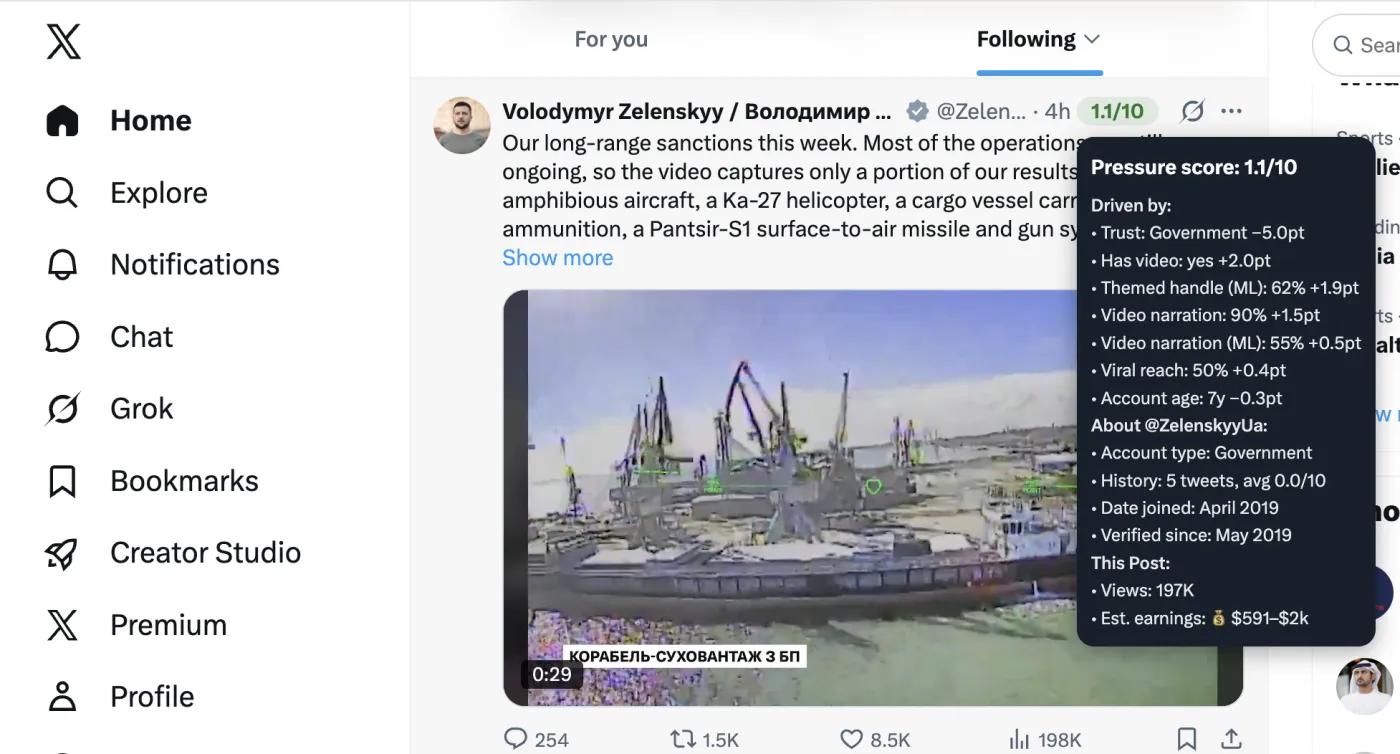
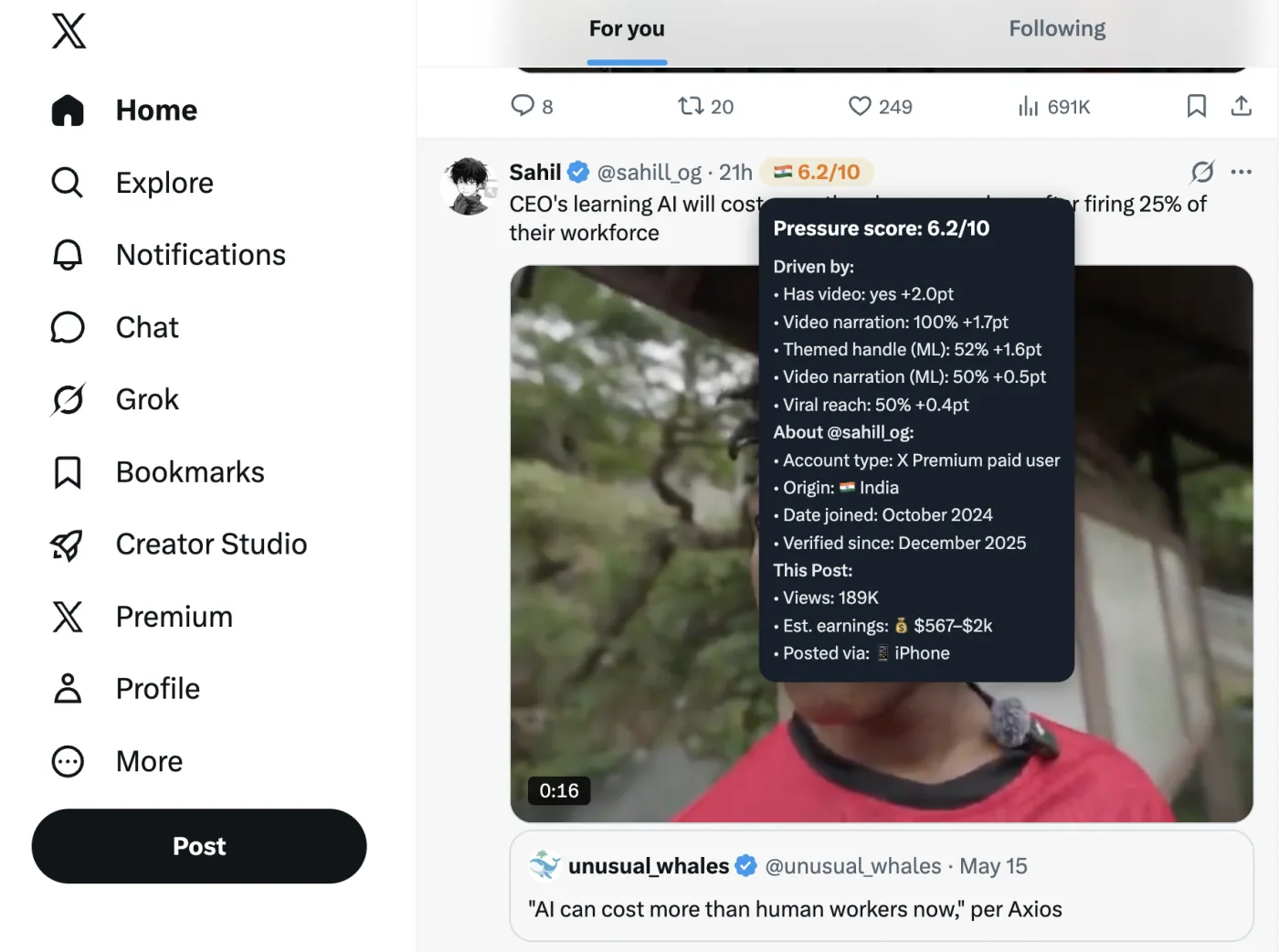
The AI scores every tweet as it scrolls into view. A small badge appears inline next to the timestamp — 0 is clean, 10 is pure bait.
Hover for the full picture
The tooltip shows which signals fired, the poster's identity and country, and how their past tweets have scored over time.
The score is just a number
- Curiosity-gap caption ("you won't believe…")
- Repost / clip-farm account pattern
- Handle history: avg 7.4 across 112 tweets
Hover a badge and it tells you exactly why it landed there. No black box — every signal is spelled out, and the whole codebase is small enough to read in an afternoon.
What it does
Local AI
A ~70 MB quantized zero-shot classifier runs inside your browser via WebGPU and ONNX. It reads each tweet's caption and account name and never leaves the tab.
Real-time scoring
Badges appear the moment a tweet enters your feed — roughly 150 ms per tweet. No spinner, no queue, no "analyzing…" overlay.
Your feed, your rules
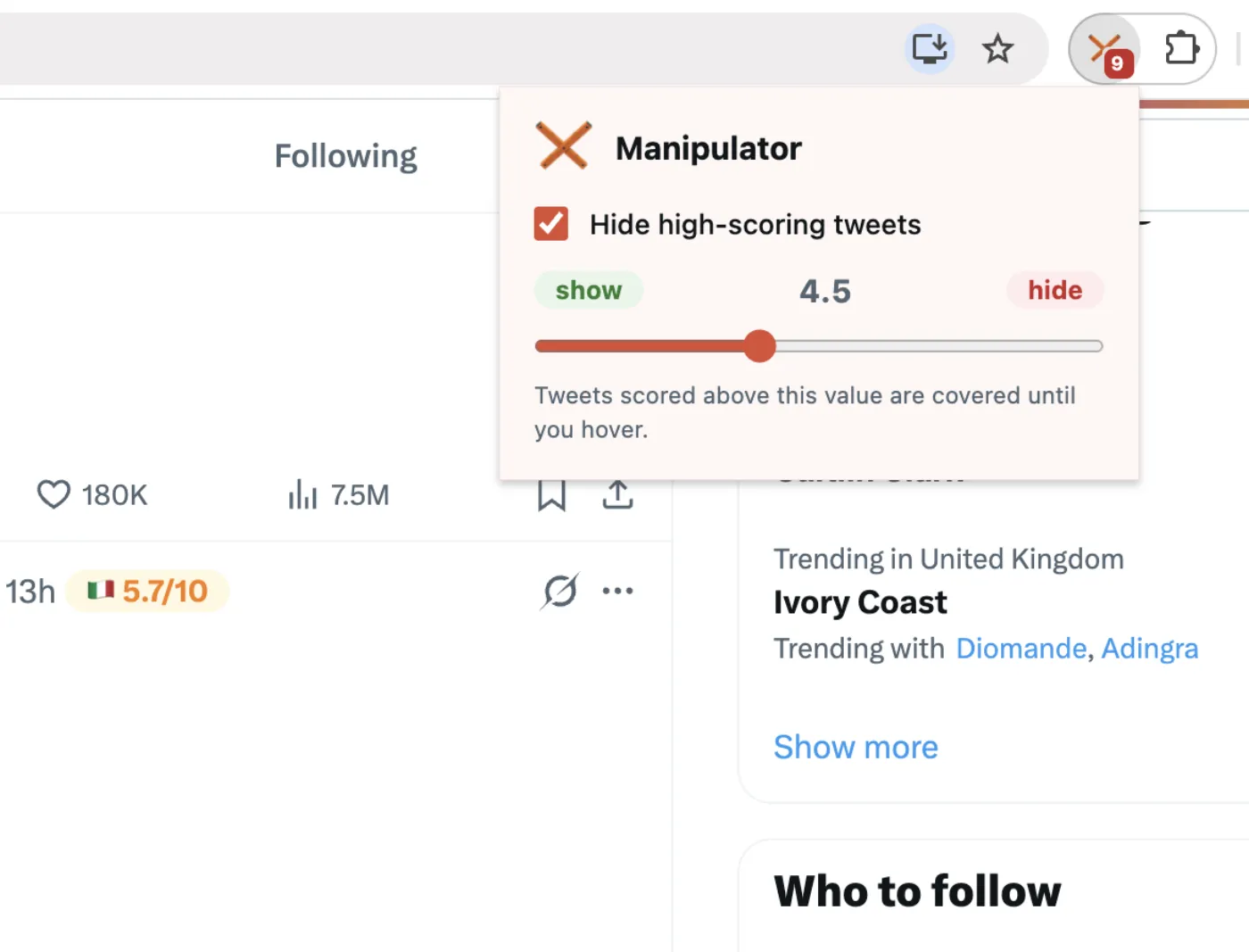
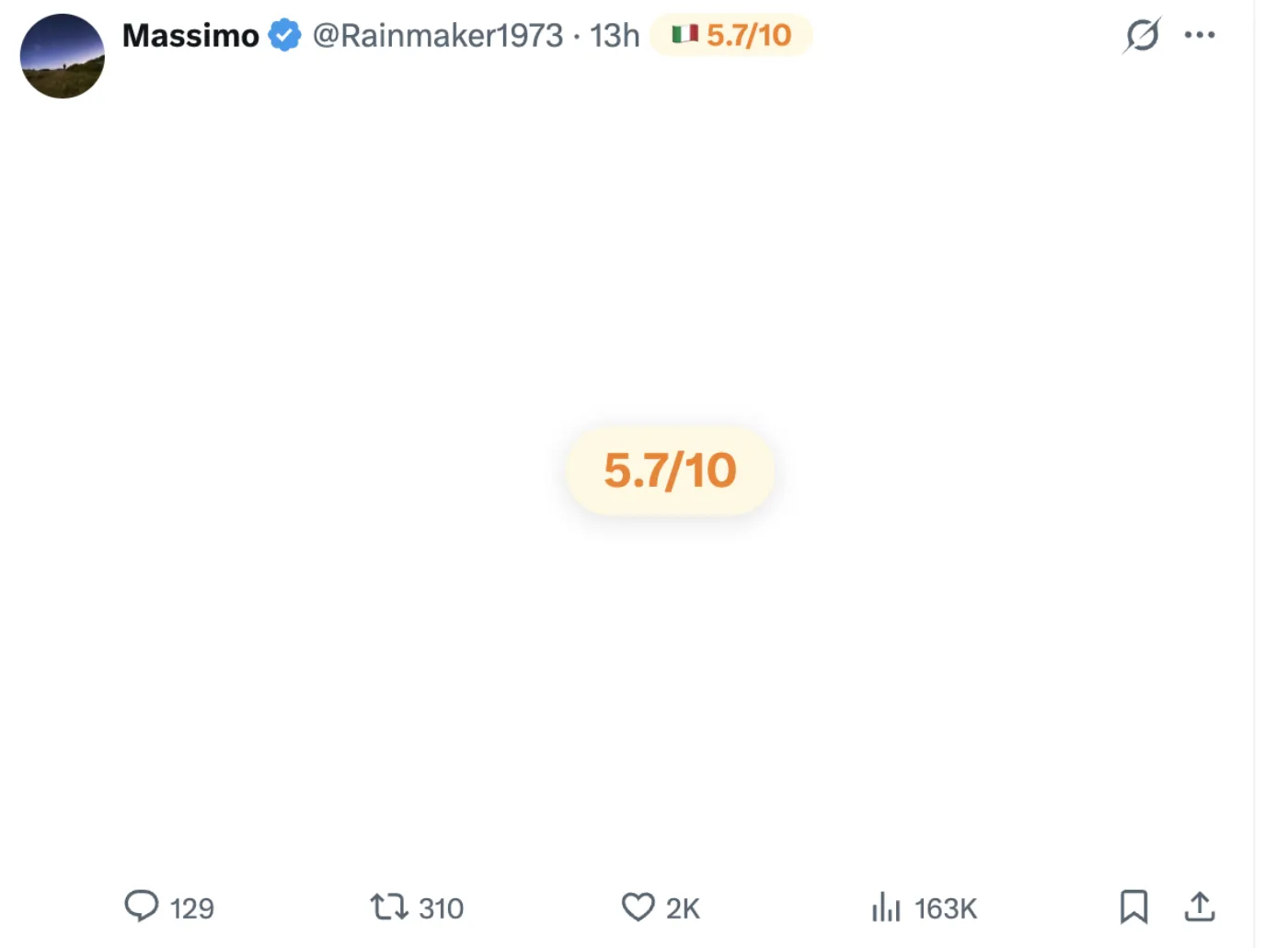
Pick a threshold in the popup. Tweets scoring above it get covered until you hover — so the loudest bait stops hijacking your scroll.
Zero tracking
No analytics, no telemetry, no third-party SDK. Tweet text and handles are read once, used locally, and forgotten. The developer can't tell you have it installed.
Poster context
The tooltip pulls the public "about this account" data X already shows — country, join date, posting client — plus a running score history per handle.
Manifest V3, minimal
Only the permissions it actually needs: storage, offscreen, and host access to x.com and huggingface.co for the one-time model download.
Screenshots